Your coding agents,
keeping the record.
Claude Code and Codex log their work to Tasktrace while you build: what they decided, where they got stuck, what they figured out. At the end of the day you get a summary grouped by project and task.
Three steps. Then it runs itself.
Connect once, keep coding, and let your agents do the writing.
Connect
Add Tasktrace as a connector in the Claude app, or with one command in Claude Code and Codex. Sign-in happens in the browser; there are no API keys to manage.
❯ claude mcp add --transport http \
    tasktrace https://tasktrace.dev/mcp
Work like normal
Keep coding. Your agents log the parts worth keeping to the right project and task, on their own.
→ create_note
  type: decision
  "Use the Neon HTTP driver; skip pooled DDL"
✓ logged · claude-code
Recall anything
Open the dashboard for a live trace of the day, or ask your agent to summarize it. The reasoning is never lost.
❯ summarize_day
July 3 · Tasktrace
- Decision: Neon HTTP driver…
- Blocker: pooled migration…
A memory for how the work happened.
The record of how your engineering days actually went. Usually it only lives in your head; here it is written down as work happens.
Written by your agents
Claude Code and Codex call Tasktrace over MCP and log progress, decisions, and blockers as they happen. You never prompt them to.
A trace, not a to-do list
Every entry is timestamped and typed: progress, decision, blocker, debugging, next step. They thread onto a timeline you read top to bottom.
Deterministic summaries
summarize_day groups your day by project and task, straight from the log. It reports what happened; it doesn't write a new version of it.
Projects & tasks
Structure the log around real work. Task tracking is idempotent, so an agent resumes a task instead of opening a second one.
Private by default
Sign in with Google; your log is visible only to you. OAuth access tokens are stored hashed at rest and can be revoked anytime.
Built on MCP
A standard Model Context Protocol server with a remote OAuth flow. Works with Claude Code, Codex, and any MCP client.
See your day, on the record.
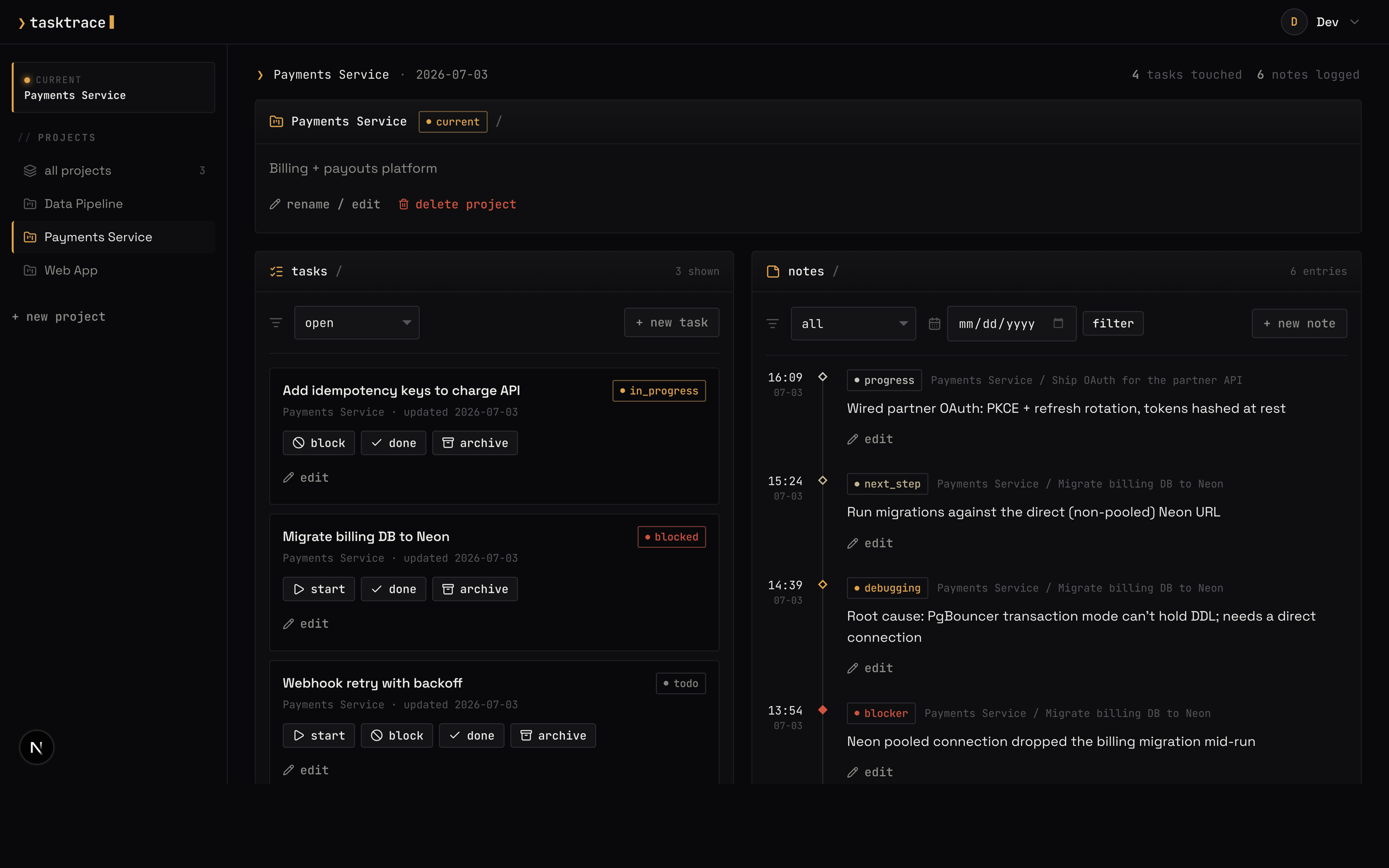
A timeline of everything logged, tasks by status, and the daily summary. It is the same summary the summarize_day tool returns.
Add it as a connector, anywhere.
Tasktrace is a standard remote MCP server with its own OAuth. Add it to the Claude desktop or web app as a custom connector, or wire it into Claude Code and Codex from the terminal. You approve access once, then it logs on its own.
In the app, no terminal
Open the Claude desktop or web app, add a custom connector, and paste your Tasktrace URL. Sign in with Google once and it is live.
- Open Settings → Connectors
- Choose Add custom connector
- Paste your /mcp URL
- Connect, then sign in with Google
❯ claude mcp add --transport http \
    tasktrace https://tasktrace.dev/mcp
❯ claude mcp login tasktrace
[mcp_servers.tasktrace]
url = "https://tasktrace.dev/mcp"
Start tracing your work.
Sign in with Google and connect an agent. From then on, the things you would otherwise forget by Friday are already written down.